A video wall processor is the box that takes your video signal, from a laptop, switcher or media server, and maps it pixel for pixel onto the LED panels so the whole wall shows one clean image. It handles scaling, input selection, brightness and color, and sends the result to the panels through sending and receiving cards. On a rental, your vendor should supply and run it for you.
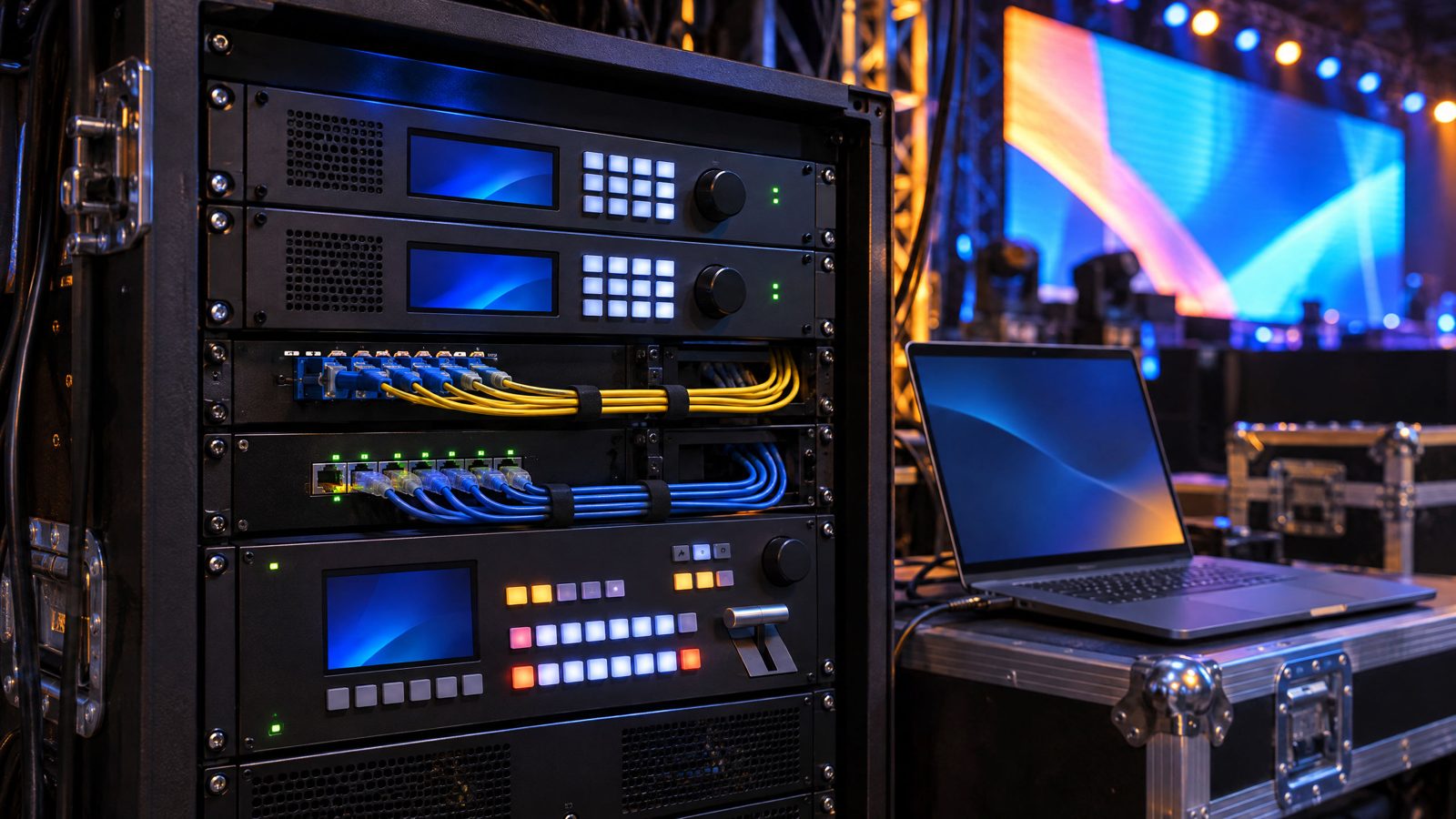
If you're planning an event in NYC and renting a wall, you don't need to operate any of this yourself. But knowing what each piece does makes it much easier to read a quote, ask the right questions, and spot when something important is missing. If you're still deciding between a video wall and an LED wall, start with video wall vs LED wall.
The signal chain: from laptop to LED panels
An LED wall isn't one big screen. It's a grid of modular panels, and something has to tell every single pixel what to show. That job is split across a chain of components. Here's the path a typical event signal takes:
- Sources. Presenter laptops, a playback machine running your show content, a live video feed of the stage, or a streamed remote speaker.
- Switcher. Lets an operator choose which source is live and cut or fade between them cleanly.
- Media server. A dedicated playback computer that runs show content, often at the wall's exact resolution, and fires cues on time.
- Video processor or scaler. Takes the chosen feed, scales it to the wall's true pixel resolution, and manages color and brightness.
- Sending card. Converts the processed image into the data format LED panels understand and pushes it out over network-style data cables.
- Receiving cards. One sits inside each panel. It reads its slice of the image and drives that panel's LEDs.
On many systems the processor and sending card live in the same unit, which is why "LED video processor" and "LED wall controller" often describe the same box. In common usage, the controller is the part that drives the panels, and the processor is the part that makes the picture right. Most event units do both.
| Component | What it does | Who provides it in a rental |
|---|---|---|
| Sources (laptops, playback) | Generate the slides, video and graphics | Usually you; we can design the content |
| Switcher | Picks the live source and cuts between several | Vendor; 4K switchers quoted as an add-on |
| Media server | Plays show content and cues at wall resolution | Vendor; quoted as an add-on |
| Video processor / scaler | Scales and maps the image, sets brightness and color | Vendor; basic processing is in our day rate |
| Sending card | Converts the image to panel data and sends it out | Vendor, part of the processing package |
| Receiving cards | Drive the LEDs inside each panel | Built into the rental panels |
Scaling and resolution mapping
The most useful number to know about an LED wall is its pixel resolution, because that's what your content should be built to. It isn't a fixed "1080p" or "4K." It's simple multiplication:
Wall resolution = panels across × pixels per panel wide, by panels high × pixels per panel tall.
Rental panels are modular cabinets, and the pixels per panel depend on cabinet size and pixel pitch. As a general example, a square cabinet at roughly 2.6 mm pitch with 192 × 192 pixels, in a wall 12 panels wide and 7 high, comes to about 2,304 × 1,344 pixels. Change the pitch or the panel count and the number changes, which is why we work it out for every job. Our guide to pixel pitch, nits and resolution goes deeper, P1.875 vs P3.91 shows how pitch changes the pixel count, and the panel sizes and how many you need guide covers the grid math. The LED wall calculator gives a quick estimate, and the free LED pixel map generator makes a pixel-exact test image for your wall. If you're weighing panel types, COB vs SMD covers that choice.
The processor's job is to take whatever arrives, say a 1920 × 1080 laptop feed, and fit it to that odd-sized canvas without stretching, soft edges or black bars you didn't plan for. It also maps the panels: it knows where each one sits in the grid, so the image lines up seamlessly. That's why content built at the wall's native resolution almost always looks sharper than a scaled laptop feed.
Inputs, switching and picture-in-picture
Processors accept a range of inputs. In general, you'll see:
- HDMI. The most common for laptops and short cable runs.
- SDI. A locking connector that carries video over long coax runs, common in professional event video.
- DisplayPort. Often used for high-resolution computer outputs.
Most processors can take several inputs at once and switch between them, and many can show more than one at a time. Picture-in-picture or multi-window layouts let you put a presenter's slides on one side and a live feed of the speaker on the other, or run a sponsor loop beside a countdown. For a simple show with one laptop, the processor alone may be enough. Once you have several presenters, live feeds and playback that all need to be cut live, a dedicated switcher and media server earn their place. Our LED screen for stage guide shows how these sources typically feed a stage wall, and the TV rental vs LED wall comparison is useful if you're also weighing monitors for side screens.
Redundancy, latency and calibration
Redundancy
In general, redundancy means having a backup path for the signal, such as a second data run to the panels or a backup feed into the processor, so one failed cable or device doesn't take the wall dark. A redundant signal chain is part of our processing and playback setup, and larger builds get one so a single failure doesn't take the wall down. We also carry spares on every truck. Our breakdown of what's included in a rental covers this line by line.
Latency and genlock
When a wall shows a live feed of the person on stage, known as IMAG, any delay between their voice and the image is noticeable. Good processing keeps that delay low. Genlock is the general term for syncing devices to a common timing reference so every screen and source stays in step. For most event planners, the practical question is simple: will the live feed look in sync with the speaker?
Brightness and color
The processor is also where the wall is calibrated. Our indoor walls run about 800–1,500 nits, and a ballroom often needs much less than full brightness to look right, so the tech dials it in for the room. Color and white balance are matched across panels so the wall reads as one surface. Our nits vs lumens guide explains why brightness behaves differently on LED than on projection.
Brands you'll hear about
We run Novastar processing, with 4K switching, a media server and a redundant signal path available when the show calls for it. Elsewhere in the market you'll hear about other well-known LED processing makers such as Brompton and Colorlight. The brand matters less than whether the system is matched to the panels, sized for the wall's resolution, and run by someone who knows it.
What to ask a rental vendor about processing
- What is the wall's exact pixel resolution, so we can build content to it?
- Is processing included in the day rate, and what does "basic" cover?
- How many sources can we run, and do we need a switcher or media server?
- What input connectors will be at the tech table, and how far is it from the wall?
- Is there a redundant signal path, and are spares on site?
- Will a technician calibrate brightness and color for the room and stay for the show?
On our NYC rentals, the day rate covers panels, basic processing, ground-stack rigging, NYC delivery, setup and strike, and an on-site tech. 4K switchers and media servers, flown rigging, 3-phase power and distro, custom content and extra labor are quoted separately. Most indoor event walls run $5,000–$15,000 per day all-in; see our pricing for the tiers, and how to choose an LED wall rental company for more questions worth asking. Rigging choice also changes the power and data plan, so read ground-stack vs flown rigging, and if your load-in window is tight, see overnight and rush installation.
Frequently asked questions
What does a video wall processor do?
A video wall processor takes incoming video from a laptop, switcher or media server and scales it to the LED wall's exact pixel resolution. It maps the image across every panel so it lines up seamlessly, lets you switch or combine inputs, and controls brightness and color. On a rental, the vendor's technician sets it up and runs it for the event.
Is an LED wall controller the same as an LED video processor?
Often, yes. The controller is the part that sends data to the panels, and the processor is the part that scales and adjusts the picture. Many event units combine both in one box with a built-in sending card, so the terms get used interchangeably. Receiving cards inside each panel then drive the LEDs themselves.
Do I need a media server for my event?
Not always. If one or two laptops are feeding the wall, the processor can usually handle it. A media server helps when you have timed show content, many cues, or content built at the wall's native resolution that needs reliable playback. We quote media servers and 4K switchers as add-ons, so you only pay for them when the show needs them.
What resolution should I make content for an LED wall?
Build to the wall's native pixel resolution, not a standard like 1080p. Multiply panels across by pixels per panel for width, and panels high by pixels per panel for height. Your vendor should give you this exact number. Our team designs content in house and can build it to the wall's resolution on the same timeline as the rental.
Is processing included in an LED wall rental?
With us, basic processing is included in the day rate along with panels, ground-stack rigging, NYC delivery, setup and strike, and an on-site tech. Bigger needs such as 4K switchers and media servers are quoted separately. When comparing quotes, check whether processing is listed at all, and whether there's a backup signal path.
Does an LED screen hire for one day include the processor?
With us, yes. Rentals are priced per day, and basic processing and an on-site tech are part of the day rate, so a one-day or one-night LED screen hire comes with the processor already set up. You only add a switcher or media server if you have several sources or timed show content. If you're searching for LED screen rental near you in NYC, send the date, room and sources and we'll confirm what's needed.
Not sure how much processing your show needs? Tell us your sources, the room and the date, and we'll spec the wall and the signal chain together. Request a same-day quote, or browse our LED video wall rental in NYC options first.